Compatible hardware
Gym access-control hardware: what works with Gymza
Gymza officially supports ZKTeco hardware. Badges, RFID and fingerprint readers, ZKTeco controllers, turnstiles and terminals: each device has its own page, with sourced specifications and its real status with Gymza: verified, implemented but not yet validated on that model, or only possible.
14 devices · RFID badges and cards · RFID and fingerprint readers · Access controllers · Turnstiles · Biometric terminalsChecked on:
The short answer
- The hardware Gymza officially supports is ZKTeco: ZKTeco C3 access controllers (C3-100 / C3-200 / C3-400), the ZKTeco ZK8500R USB fingerprint reader at reception, and turnstiles driven through a ZKTeco controller. Controllers, turnstiles and fingerprints come as Gymza Custom configurations.
- Verified and tested: 125 kHz EM4100 badges and the 125 kHz keyboard-emulation USB reader, supplied with the RFID and Advanced plans in Morocco.
- Implemented, not yet validated on a physical device: ZKTeco C3 controllers, and so the turnstiles they drive, offered only in a Gymza Custom configuration after a bench test.
- Supported since Gymza 1.4.26: the ZKTeco inBio260 panel with the TS1000 Plus turnstile (one entry reader and one exit reader) and the ZK9500 USB fingerprint reader for enrolment at the front desk. Implemented, not yet validated on a physical device. Not to be confused with the InBio260 Pro Plus, below.
- Possible but untested: the ZKTeco KR901 reader, the TS1000 Pro turnstile and the ZKTeco InBio260 Pro Plus controller (the inBio260 adapter has not been tried on this model).
- Not supported today: the ZKTeco SpeedFace-V5L terminal: Gymza has no adapter for it; its page says what the alternative is.
- Experimental: the ZKTeco ZK8500R USB fingerprint reader enrols the fingerprint at reception, and Gymza sends it to the turnstile’s ZKTeco controller, provided it stores and matches fingerprints itself (ZKTeco’s software for the reader must be on the PC; with ZKAccess installed, nothing more to add). Since Gymza 1.4.2, the reader appears by itself in Hardware, with a guided test. At the turnstile, by default, Gymza applies the access rules, so the reception PC must be on for fingerprints to open the door. Not yet verified on the physical hardware. Gymza can identify a ZKTeco controller and show what it can do. A classic ZKTeco C3 with KR901 readers works with badges only: no fingerprints with this hardware.
Arabic setup guide (PDF)
A 59-page guide in Arabic for owners and reception staff: installation, first start, licence, connecting the ZKTeco C3-200, KR901 readers and the turnstile, automatic detection, badges and fingerprints, tests, backups, troubleshooting and a commissioning checklist.
RFID badges and cards
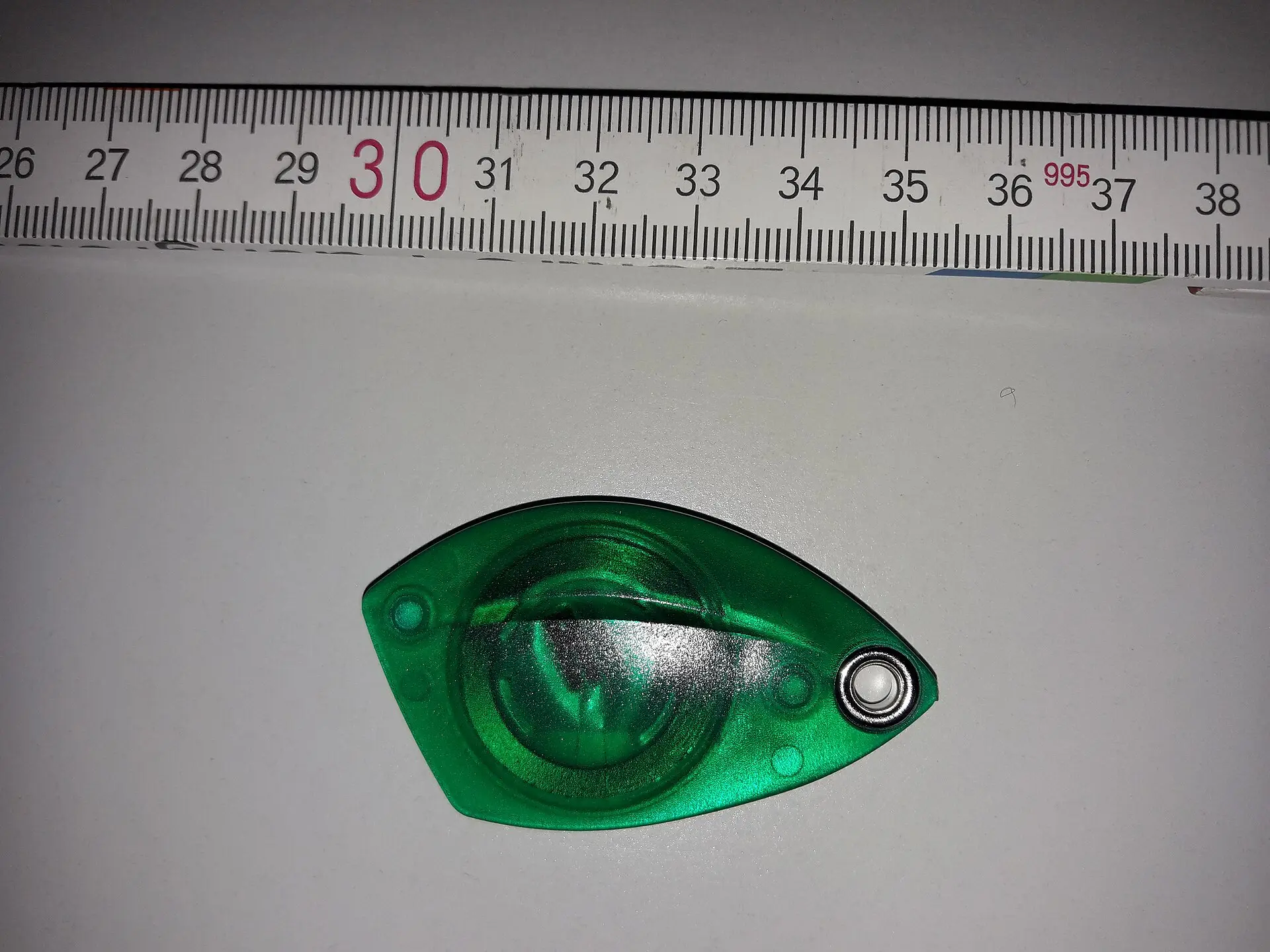
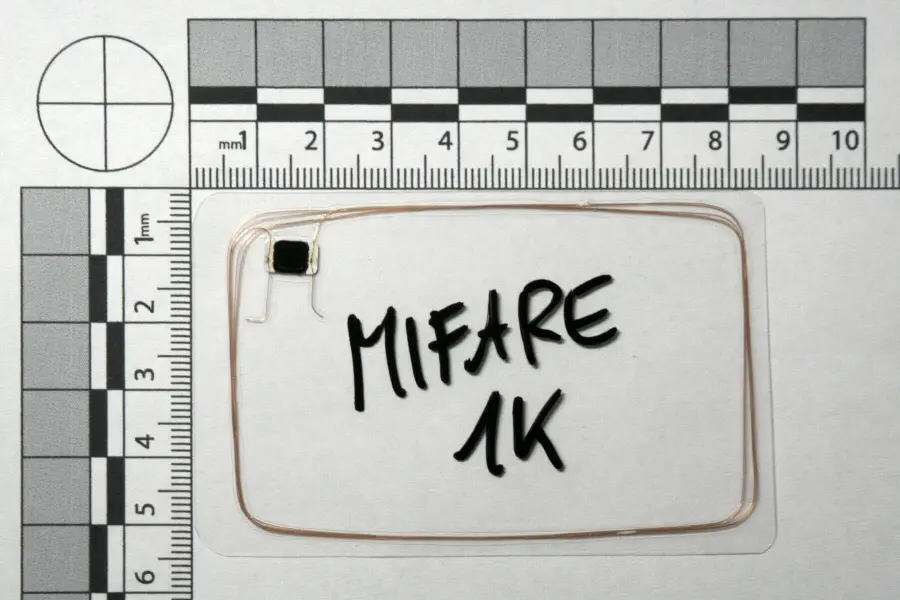
What the member shows: card, key fob or wristband.


RFID and fingerprint readers
What reads the badge or the finger: at reception (USB) or at the door (Wiegand).
- Photo to comeTechnology (several manufacturers)USB RFID reader (125 kHz)Verified: types 10 digits, enrols and checks members in.Verified and testedSee the page
- Photo to comeZKTecoZKTeco KR901 readerDual-frequency Wiegand door reader; untested with Gymza.Possible, untestedSee the page
- Photo to comeZKTecoZKTeco ZK8500R fingerprint readerFingerprint enrolment at reception, sent to the ZKTeco controller; experimental.Implemented, validation pendingSee the page
- Photo to comeZKTecoZKTeco ZK9500 USB fingerprint readerFingerprint enrolment at the front desk for the inBio260; supported since Gymza 1.4.26.Implemented, validation pendingSee the page
Access controllers
What receives the read and drives the door relay.
- Photo to comeZKTecoZKTeco C3-100 controllerOne door: enough for a controlled entry, not for a controlled exit.Implemented, validation pendingSee the page
- Photo to comeZKTecoZKTeco C3-200 controllerTwo doors: entry and exit of one turnstile, or two entrances.Implemented, validation pendingSee the page
- Photo to comeZKTecoZKTeco inBio260 controllerTwo-door controller for a TS1000 Plus turnstile; supported since Gymza 1.4.26.Implemented, validation pendingSee the page
- Photo to comeZKTecoZKTeco InBio260 Pro Plus controllerTwo-door biometric panel; Gymza’s inBio260 adapter has not been tried on this model.Possible, untestedSee the page
Turnstiles
The physical barrier, released by a controller’s relay.
- Photo to comeZKTecoZKTeco TS1000 Pro turnstileCompact tripod sold in Morocco; control input not documented.Possible, untestedSee the page
- Photo to comeZKTecoZKTeco TS1000 Plus turnstileSingle-lane tripod turnstile, driven by an inBio260; supported since Gymza 1.4.26.Implemented, validation pendingSee the page
- Photo to comeZKTecoZKTeco TS2000 Plus turnstileThe turnstile of Gymza’s documented kit, driven by a C3-200.Implemented, validation pendingSee the page
Biometric terminals
Standalone devices managed by their own software: none is supported by Gymza.
Three ways hardware connects to Gymza
An RFID reader alone does not make access control: the badge technology, enrolment, the membership check and the door control all have to match.
USB reader at reception
The reader types the badge number like a keyboard. Gymza finds the member, checks the membership and records the entry. No door is controlled: reception lets the member in.
Reads: the USB reader · Decides: Gymza · Opens: nobody
Controller and turnstile
A Wiegand reader at the turnstile passes the badge to the ZKTeco C3 controller, which reports it to Gymza over the network. Gymza applies its rules and asks the controller to close its relay: the turnstile releases one passage.
Reads: the Wiegand reader · Decides: Gymza · Opens: the controller’s relay
Fingerprint recognised by the controller
Since Gymza 1.4.0 (experimental), the fingerprint is enrolled at reception with a ZK8500R USB reader, then sent to the turnstile’s ZKTeco controller, which recognises the finger. By default, Gymza then applies the access rules exactly as for a badge and asks the controller to open, so the reception PC must be on. An option per controller lets it decide alone, on validity dates only.
Enrols: the reception reader · Recognises: the controller · Decides by default: Gymza
Every device in one table
| Device | Category | Interface | Status with Gymza |
|---|---|---|---|
| 125 kHz EM4100 cards and key fobs | RFID badges and cards | 125 kHz | Verified and tested |
| MIFARE 13.56 MHz cards and key fobs | RFID badges and cards | 13.56 MHz · ISO/IEC 14443 A | Implemented, validation pending |
| USB RFID reader (125 kHz) | RFID and fingerprint readers | USB HID | Verified and tested |
| ZKTeco KR901 reader | RFID and fingerprint readers | Wiegand 34/66 · RS-485 | Possible, untested |
| ZKTeco ZK8500R fingerprint reader | RFID and fingerprint readers | USB · ZKTeco component (ZKFinger SDK or installed with ZKAccess) | Implemented, validation pending |
| ZKTeco ZK9500 USB fingerprint reader | RFID and fingerprint readers | USB · ZKTeco’s ZKFinger SDK for Windows | Implemented, validation pending |
| ZKTeco C3-100 controller | Access controllers | TCP/IP 4370 · Wiegand · relay | Implemented, validation pending |
| ZKTeco C3-200 controller | Access controllers | TCP/IP 4370 · Wiegand · relays | Implemented, validation pending |
| ZKTeco inBio260 controller | Access controllers | TCP/IP 4370 · FR1200 readers (RS-485) · relays | Implemented, validation pending |
| ZKTeco TS1000 Pro turnstile | Turnstiles | Control input: not published | Possible, untested |
| ZKTeco TS1000 Plus turnstile | Turnstiles | Dry contact via the inBio260 controller | Implemented, validation pending |
| ZKTeco InBio260 Pro Plus controller | Access controllers | TCP/IP · Wiegand · relays (inBio260 adapter not tried on this model) | Possible, untested |
| ZKTeco TS2000 Plus turnstile | Turnstiles | Dry contact via a C3 controller | Implemented, validation pending |
| ZKTeco SpeedFace-V5L terminal | Biometric terminals | TCP/IP · Wiegand in/out · RS-485 (no Gymza adapter) | Not supported |
What the statuses mean
A status is the strongest the evidence supports, never more. Each page says where each claim comes from.
- Verified and tested
- Tested with this device and a documented configuration.
- Implemented, validation pending
- Gymza implements the interface the device uses, but this model has not been validated end to end.
- Possible, untested
- Technically plausible; nothing is implemented or tested for this exact model.
- Not supported
- Known incompatibility or missing capability.
How this catalogue is kept
- Gymza’s capabilities are checked in the application and its test records, not in a brochure.
- Device specifications come from the manufacturer’s documentation, cited on each page with the date it was read.
- Photos show the real device and are published under a licence that allows it. Without a reusable photo, the page says so instead of showing a look-alike.
- Hardware is not included in every plan: in Morocco the RFID and Advanced plans supply a USB reader and badges; turnstiles and controllers are on quote.
Guides to go further
- Access hardware for a small gymThree set-ups depending on your entrance and budget.
- An integrated membership and access systemOne member list, from reception to every door.
- 125 kHz or 13.56 MHz badgesEM4100 or MIFARE, card, key fob or wristband: how to choose.
- Wiegand or USB RFID readerTwo kinds of reader, two jobs: the desk and the door.
- ZKTeco C3-100 or C3-200One controlled direction, or entry and exit.
- Dry-contact relays explainedHow a relay contact releases a turnstile or a door.
- Connecting a turnstile to gym softwareController, reader, wiring, safety and budget of a turnstile.
- Face, fingerprint or badge?The three ways in compared, and what each implies.
- Troubleshooting RFID access controlUnknown badge, refusals, silent turnstile: causes and fixes.
- Compatibility tableWhat is verified, conditional, not yet tested or not supported.
- Expired memberships and lent badgesThe entrance rules that protect your revenue, and how to set them.
Already have hardware?
Send us the brand, the exact model and, if you can, the firmware version. We will tell you what is verified, what still needs testing and what you would need.