Memberships & payments
Gym membership and billing software
Plans, expiry dates, renewals, payments, outstanding balances and receipts: Gymza follows every membership from sign-up to renewal, on your front-desk PC, even when the Internet is down.

A sign-up in four steps
Signing up a new member at the front desk takes a few minutes, from the form to the tag.
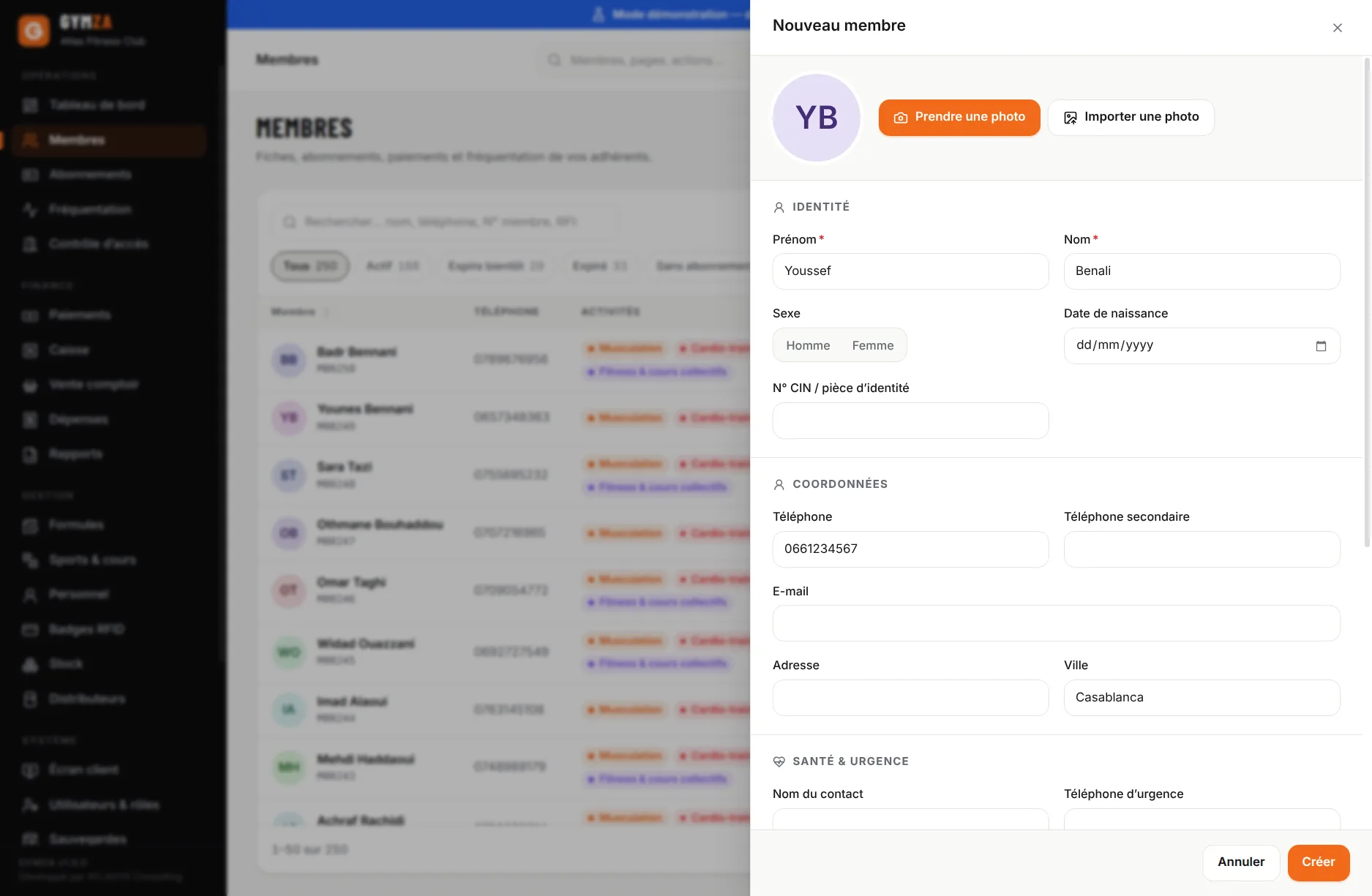 1
The profile
Name, phone, email, date of birth, photo and documents. The member is then found by name, phone or tag.
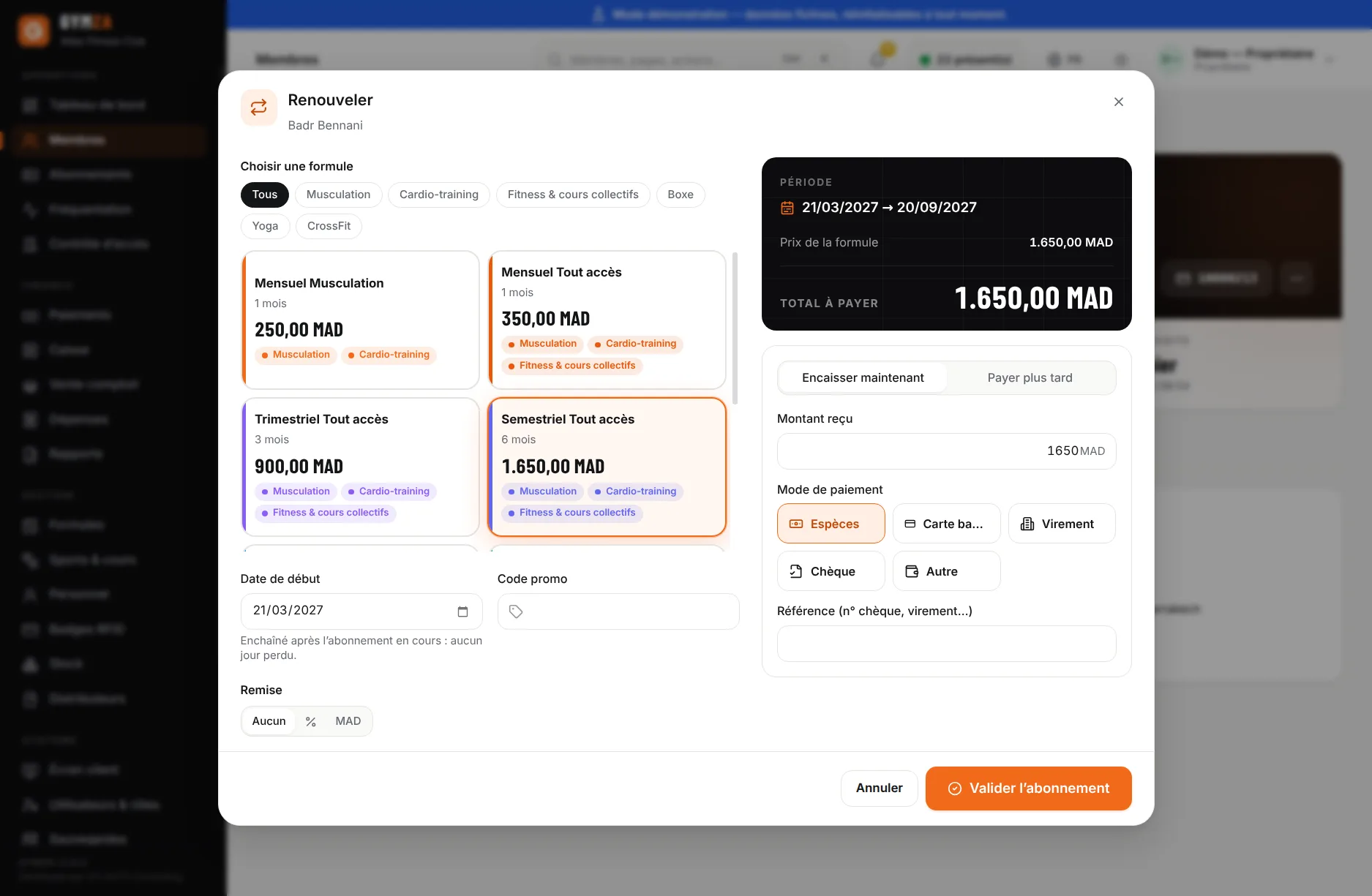 2
The plan
Choose the plan and the start date: the end date is calculated automatically.
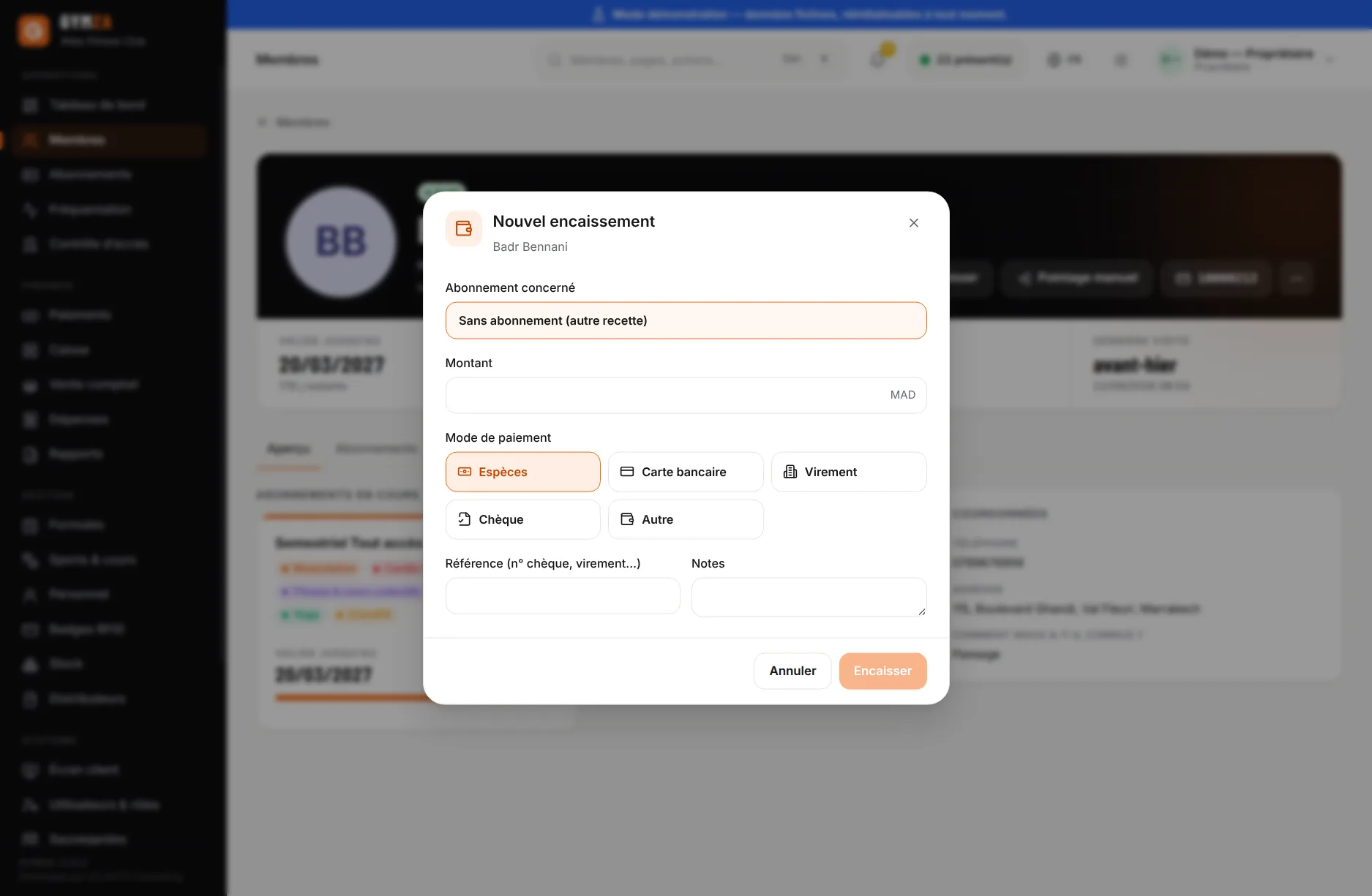 3
The payment
Cash, card, bank transfer or cheque, in one or several instalments. The numbered receipt prints straight away.
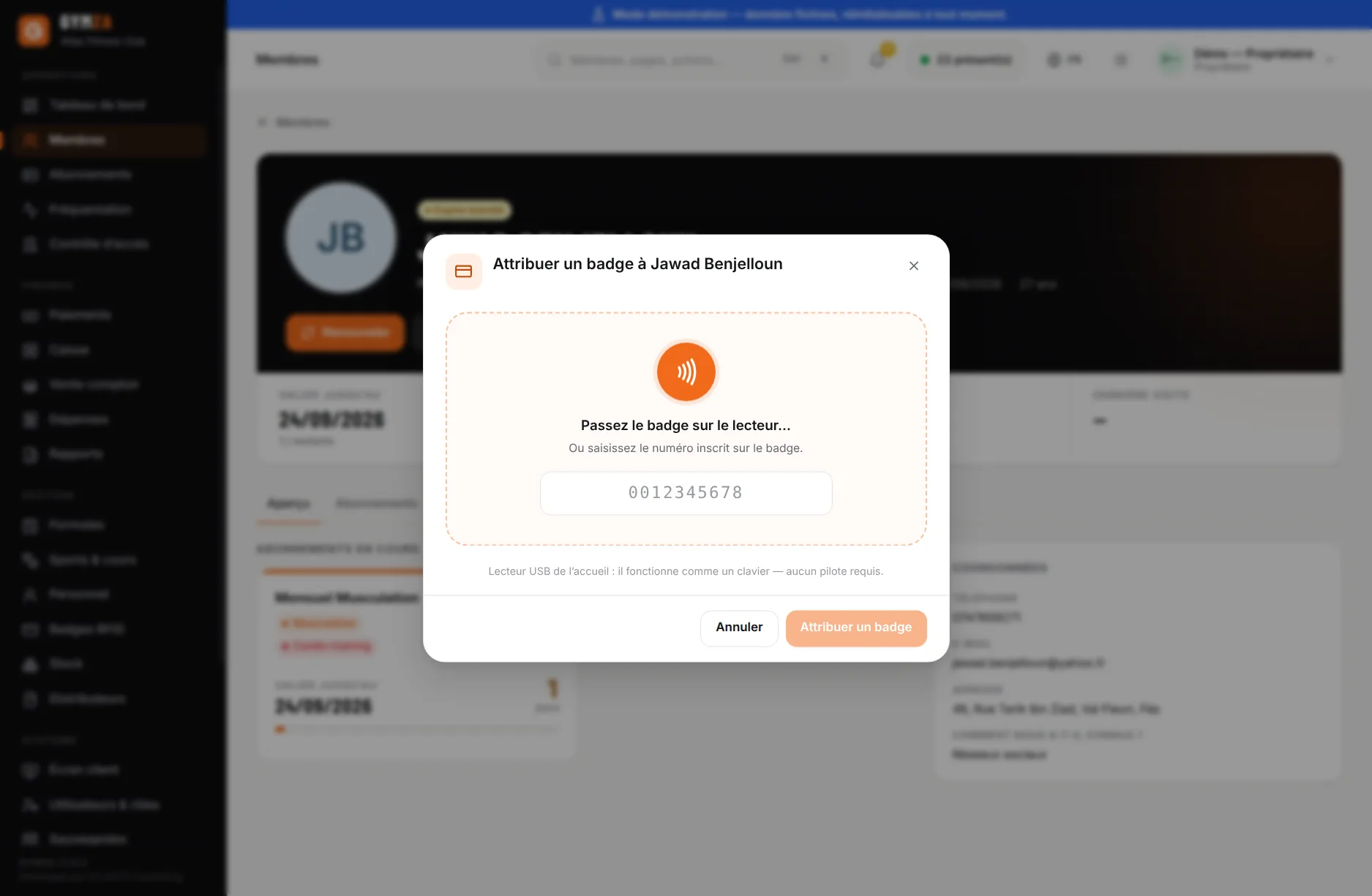 4
The tag
With Gymza RFID, a badge is assigned to the member. Otherwise, the printed membership card carries a QR code.


Every plan a real gym sells
Create your plans with your prices, their length and the activities they include.
- Day passes
- Monthly, quarterly, six-monthly and annual plans
- Session packs: one session used at each visit
- Trial, family or student plans
- Off-peak plans, limited to certain hours
- Multi-activity memberships, split automatically between activities in your statistics
Freezes and extensions
A member is away for a month, travelling or injured? Freeze the membership and the end date moves back by the same amount. Every freeze or extension is logged and dated.
No more forgotten renewals
A gym’s biggest leak is memberships that expire without anyone following up.
Due within 7 days
Memberships ending soon are listed on the dashboard and in a filter of the member list.
Expired in the last 30 days
Your follow-up list is ready, with each member’s phone number.
Renewals without gaps
The new membership starts when the old one ends: no lost days, no overlap.
A reminder at the right moment
With Gymza RFID, the customer display reminds members of their expiry date when they tap their tag.
Entry refused when expired
With RFID, an expired membership, a used-up session pack or an unpaid balance can refuse entry, according to your rules.
Today’s notifications
Expiry dates, birthdays and backups: what matters shows up when you open the software.

Gymza does not send SMS or WhatsApp messages to your members: it works without Internet and sends none of your gym’s data. You follow up yourself, with the right number in front of you.
Payments, balances and receipts
Every dirham taken has its receipt, its date and the name of the person who took it.

Every payment method
Cash, bank card, transfer, cheque, or your own payment methods.
Payment in instalments
The balance due shows on the member’s profile, in the member list and in the reports.
Numbered receipts
Each receipt has a unique, continuous number: a missing number stands out immediately.
Receipts with ICE
In French or Arabic, in your gym’s language, with your logo and your ICE number, on an 80 or 58 mm thermal printer, A5 or A4.
A log that cannot be edited
A payment is never edited or deleted: it is cancelled or refunded, and the original stays visible.
Counter sales as an option
Drinks, supplements and accessories can be sold in Gymza with the counter-sales and stock module, available as an option on request.
Daily cash desk and revenue
At closing time you know what the gym took, and whether the till is right.
- Opening float in the morning, count in the evening, difference calculated automatically
- Revenue by day, month and activity, compared with the previous period
- Gym expenses (rent, salaries, bills) and the real profit
- PDF, Excel or CSV reports for your accountant
Memberships, expiry dates, payments, receipts and expenses are included in every package, from Gymza Starter at 5,000 MAD as a lifetime licence. The exact content of each package is on the pricing page. Compare the packages

Go further
- Renewal remindersWho to remind, when, through which channel, and what it costs.
- Expired memberships and lent badgesThe entrance rules that protect your revenue, and how to set them.
- Excel or gym software?What a spreadsheet does well, and where it reaches its limits in a gym.
- RFID access controlTags, reader, controller and turnstile, with your access rules.
- Pricing and the lifetime licenceStarter, RFID and Advanced, paid once; Custom on quote.
Questions about memberships and payments
Can I see the memberships of a single sport or a single coach?
Yes: since Gymza 1.4.26, the Memberships page has one card per sport at the top; clicking a card shows only that sport’s memberships, starting with the active ones. Since 1.4.27, the “All coaches” filter shows the subscriptions assigned to a coach (Staff → Coach pay → Open → Assign).
Can I see how much each sport brought in this month?
Yes, since Gymza 1.4.26: at the top of the Memberships page, each sport card shows its active memberships and the money received this month for that sport. A membership covering several sports counts in full on each of its cards, so the cards do not add up. The month’s total is “Paid this month”, just below.
How does Gymza help follow up expiring memberships?
Memberships ending within 7 days appear on the dashboard, in the notifications and in a filter of the member list, and those that expired in the last 30 days make a ready follow-up list. With Gymza RFID, the customer display also reminds members when they present their badge.
Gymza does not send SMS or WhatsApp messages automatically: it works without Internet and sends none of your gym’s data. You follow up with members yourself, with their number in front of you.
When a member renews, do they keep their coach?
Yes, since Gymza 1.4.27: the renewed subscription keeps its coach, and it counts towards the coach’s pay as soon as it is paid.
Can a membership be frozen or extended?
Yes. When a member is away, travelling or injured for example, you freeze the membership and its end date moves back by the same amount. You can also extend a membership, for instance to make up for a gym closure. Every freeze or extension is logged and dated.
Can a subscription be frozen without knowing when the member will be back?
Yes, since Gymza 1.4.22: tick “No end date” when you freeze it. Set the date later on the subscription, or end the freeze when the member is back. The frozen days are then added to the end date, within the plan’s freeze allowance.
Can I change the start or end date of a subscription?
Yes, since Gymza 1.4.13: on the subscription, “Change dates” lets you set the start and end dates freely, with a reason. The status follows the new dates (upcoming, active or expired), and door access follows the status.
Every change stays in the subscription’s history and in the audit log: who, when, old and new dates, reason. A cancelled subscription cannot be changed. For a payment, only the date can be corrected (“Change date”); the amount and receipt number stay the same.
I sold a subscription with the wrong plan: what do I do?
Open the subscription and click “Correct” (since Gymza 1.4.22): change the plan, the dates, the price or the registration fee. The payments are in the same window: change a payment’s date, void it or take a new one. The new total cannot go below what was already paid, and every correction is kept in the history.
Can I bring over my Excel data?
Yes. Gymza imports your member list from a CSV file, which you save from Excel in two clicks, so you don’t have to retype everything. Since version 1.4.11, each member’s registration date and photo come across too (image files placed next to the spreadsheet), and Arabic names are handled better. A preview shows every row before the import. Past memberships, payments and attendance are not imported, only member profiles.
For fuller history or data from another software, we can do the migration for you, with checks.
Can I export and back up my data?
Yes. Gymza takes an automatic backup every evening and verifies it, with an optional copy to a USB stick, an external drive or a network folder; restoring is guided.
Your reports (members, memberships, payments, revenue, expenses, attendance) export to PDF, Excel and CSV.
Can I use Gymza without RFID?
Yes, that is Gymza Starter. All management features (members, memberships, payments, receipts, expenses, reports) work with just a PC. Check-in is manual or uses the QR code printed on the member card.
You can move to Gymza RFID later: a new licence, without reinstalling or re-entering anything.
Does Gymza work without internet?
Yes, completely. Gymza is installed on your gym’s computer and does not need the internet, whether to sign up a member, take a payment, print a receipt or activate the licence.
A fibre or ADSL outage changes nothing for your gym.
The limits, in all transparency: your licence file is sent by email, WhatsApp or USB stick; updates download from inside Gymza, or arrive on a USB stick or by e-mail; and remote assistance needs a connection while it lasts. Gymza only goes online to look for an update (at start-up then once a day, can be turned off) or download it, and for WhatsApp when you press a button. And because your data stays on the gym’s PC, Gymza cannot be viewed remotely from a phone.
See your memberships in Gymza
The demo gym holds 250 members, their memberships and eight months of payments. Then import your own Excel file, saved as CSV.
14-day free trial, no credit card, no online account